What’s covered
- What are Unreal Engine localization namespaces?
- Why do Unreal Engine projects need namespace structure?
- When should you use feature-based namespace organization?
- How does level-based namespace organization work for open-world games?
- What are the trade-offs of team-based namespace organization?
- What are the best practices for Unreal Engine namespace naming conventions?
- How do Unreal Engine namespaces work with external localization tools?
- Conclusion
- Frequently asked questions about Unreal Engine localization namespaces
Managing localization for a small Unreal Engine prototype is straightforward. But as your game grows-more content, more developers, more languages-disorganized string tables become a nightmare. Merge conflicts multiply. Translators lose context. Updates break existing translations.
The solution? Proper namespace structure from the start.
This guide covers how to organize Unreal Engine localization namespaces for scalable game development. You’ll learn organizational strategies, naming conventions, and best practices for integrating with external localization tools. Proper namespace structure is a critical component of an effective game localization process.
Namespace structure determines whether your localization scales smoothly or collapses under its own weight. This applies to both live service games with frequent updates and large single-player experiences with multiple teams.
What are Unreal Engine localization namespaces?
Namespaces in Unreal Engine are organizational containers that group related localization strings together. They prevent key collisions, improve maintainability, and allow multiple teams to work on translations at the same time without conflicts.
In UE5’s localization system, every string has three components:
- Namespace: The organizational category (e.g., "UI.MainMenu")
- Key: The unique identifier within that namespace (e.g., "StartButton")
- Source text: The original English string (e.g., "Start Game")
When you create a string table in Unreal Engine, you define its namespace. All entries in that table share the same namespace, creating logical groupings that mirror your game’s structure.
Think of namespaces like folder paths on your computer. Just as Documents/Work/Report.txt and Documents/Personal/Report.txt are different files despite sharing the same name, UI.MainMenu.StartButton and Dialogue.NPC.StartButton are different strings. The namespace path prevents collisions.
| Component | Example | Purpose |
|---|---|---|
| Namespace | UI.MainMenu | Groups related strings together |
| Key | StartButton | Uniquely identifies the string |
| Source text | Start Game | The actual text to translate |

(Source: Unreal Engine documentation)
Technically, namespaces are metadata in UE5’s .archive and .manifest files. When you export localization data, namespace information travels with your strings, allowing external tools to maintain your organizational structure.
Why do Unreal Engine projects need namespace structure?
Organized namespaces prevent merge conflicts, improve translator context, and make localization maintainable as your game scales. Without structure, you’ll encounter problems that compound as your project grows.
Many teams start with a single namespace-or worse, inconsistent naming across different string tables. This creates four major problems:
1. Key collisions across different systems
When everything uses the same namespace, you can’t use the same key name twice. “Close” might mean closing a window in your UI, closing a door in gameplay, or closing a quest dialogue. Without namespace separation, you need artificially unique keys: “CloseButton_UI,” “CloseDoor_Gameplay,” “CloseDialogue_Quest.”
2. Merge conflicts in version control
Multiple developers editing the same string table file creates constant Git conflicts. When your entire game’s UI uses one namespace, every UI programmer touches the same files at the same time.
3. Lost context for translators
Translators receive a flat list of keys without understanding which system they belong to. Is “Fire” a button to shoot, a visual effect, or terminating employment? Proper namespaces provide immediate context.
4. Difficult maintenance and updates
Finding specific strings becomes difficult. You can’t easily identify which strings are outdated, which belong to deprecated features, or which need updating when you redesign a system.
When should you use feature-based namespace organization?
Feature-based organization groups strings by game functionality - UI, dialogue, items, quests - and works well for most game types because it mirrors how both players and developers think about your game.
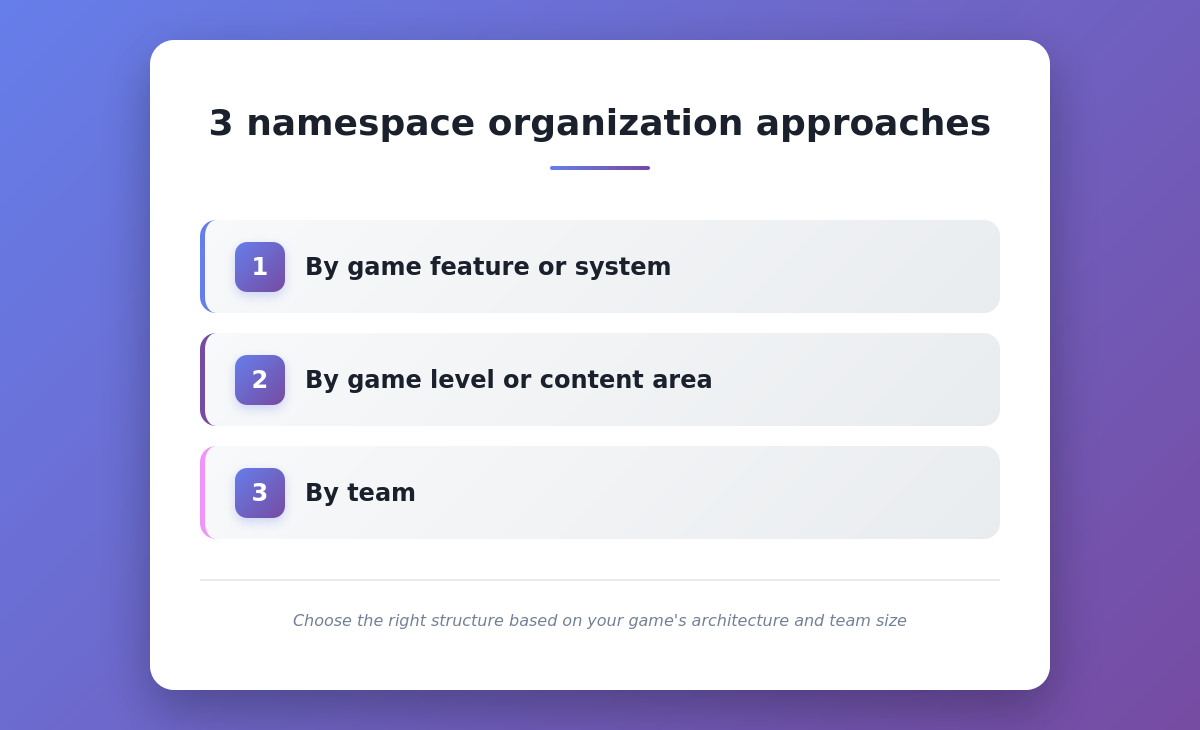
Common feature-based namespaces include:
| Namespace | Contents | Example keys |
|---|---|---|
| UI.HUD | Heads-up display elements | HealthLabel, AmmoCount, ObjectiveMarker |
| UI.MainMenu | Main menu screens | StartButton, SettingsButton, QuitButton |
| UI.Settings | Options and preferences | GraphicsQuality, AudioVolume, Keybindings |
| Dialogue.NPC | Character conversations | Greeting, QuestOffer, Farewell |
| Items.Weapons | Weapon names and descriptions | Sword_Name, Sword_Description |
| Items.Consumables | Potion and consumable text | HealthPotion_Name, HealthPotion_Effect |
| Quests.Main | Main storyline quests | Quest01_Title, Quest01_Description |
| Quests.Side | Optional side quests | SideQuest05_Title, SideQuest05_Objective |
| Tutorials | Tutorial and hint text | Movement_Hint, Combat_Hint |
| Notifications | System messages | LevelUp, AchievementUnlocked, ConnectionLost |
Feature-based structure works best for:
- Most single-player games: Clear functional boundaries between systems.
- Menu-heavy games: Lots of UI screens that benefit from separation.
- RPGs and adventure games: Distinct categories for items, quests, dialogue.
- Games with modular DLC: Each expansion can add new feature namespaces.
How does level-based namespace organization work for open-world games?
Level-based organization groups strings by where they appear in the game - useful for open-world games or projects with distinct geographical areas where content is location-specific and rarely shared across regions.
Example level-based structure:
- Level.Tutorial: All strings that appear only in the tutorial level.
- Level.City: City area NPCs, signage, environmental text.
- Level.Dungeon01: First dungeon's unique dialogue and items.
- Level.BossArena: Boss encounter-specific text.
- Global.UI: UI elements that appear across all levels.
- Global.Items: Items available throughout the game.
Level-based structure works best for:
- Open-world games: Each region has unique locations, characters, and quests.
- Linear level-based games: Players progress through distinct stages that don't share content.
- Episodic games: Each episode is self-contained.
- Games with unloadable content: You can unload translations for levels not currently active.
Hybrid approach:
Most large games combine both feature-based and level-based strategies:
- Level.City.UI: City-specific interface elements.
- Level.City.Dialogue: City NPC conversations.
- Level.Dungeon01.Items: Items unique to the first dungeon.
- Global.UI.HUD: HUD elements that appear everywhere.
This provides both geographical and functional organization, though it increases namespace depth.
What are the trade-offs of team-based namespace organization?
Team-based organization assigns namespaces by development team ownership - each team controls their own string tables, which minimizes merge conflicts in large studios but works best as a secondary layer rather than a primary structure.
Example team-based structure:
- Team.UI: UI team's string tables.
- Team.Gameplay: Gameplay programmers' strings.
- Team.Narrative: Writers' dialogue and quest text.
- Team.LiveOps: Live operations team's seasonal content.
Advantages:
- Minimal merge conflicts: Each team works in separate string table files.
- Clear ownership: Obvious who to ask about string changes.
- Parallel development: Teams can work independently without coordination.
Disadvantages:
- Poor conceptual organization: Translators and external tools see organizational structure, not game structure.
- Cross-team dependencies: Shared systems require coordination on namespace ownership.
- Harder for external localization teams: Context is less obvious from namespace names alone.
Team-based organization works best as a secondary layer rather than primary structure. For example: Team.UI.MainMenu or Team.Narrative.Quests.Main combines team ownership with functional organization.
What are the best practices for Unreal Engine namespace naming conventions?
Use descriptive dot notation (e.g., UI.Settings.Audio), avoid special characters, and maintain consistent capitalization across all namespaces. Clear conventions prevent confusion and technical issues.
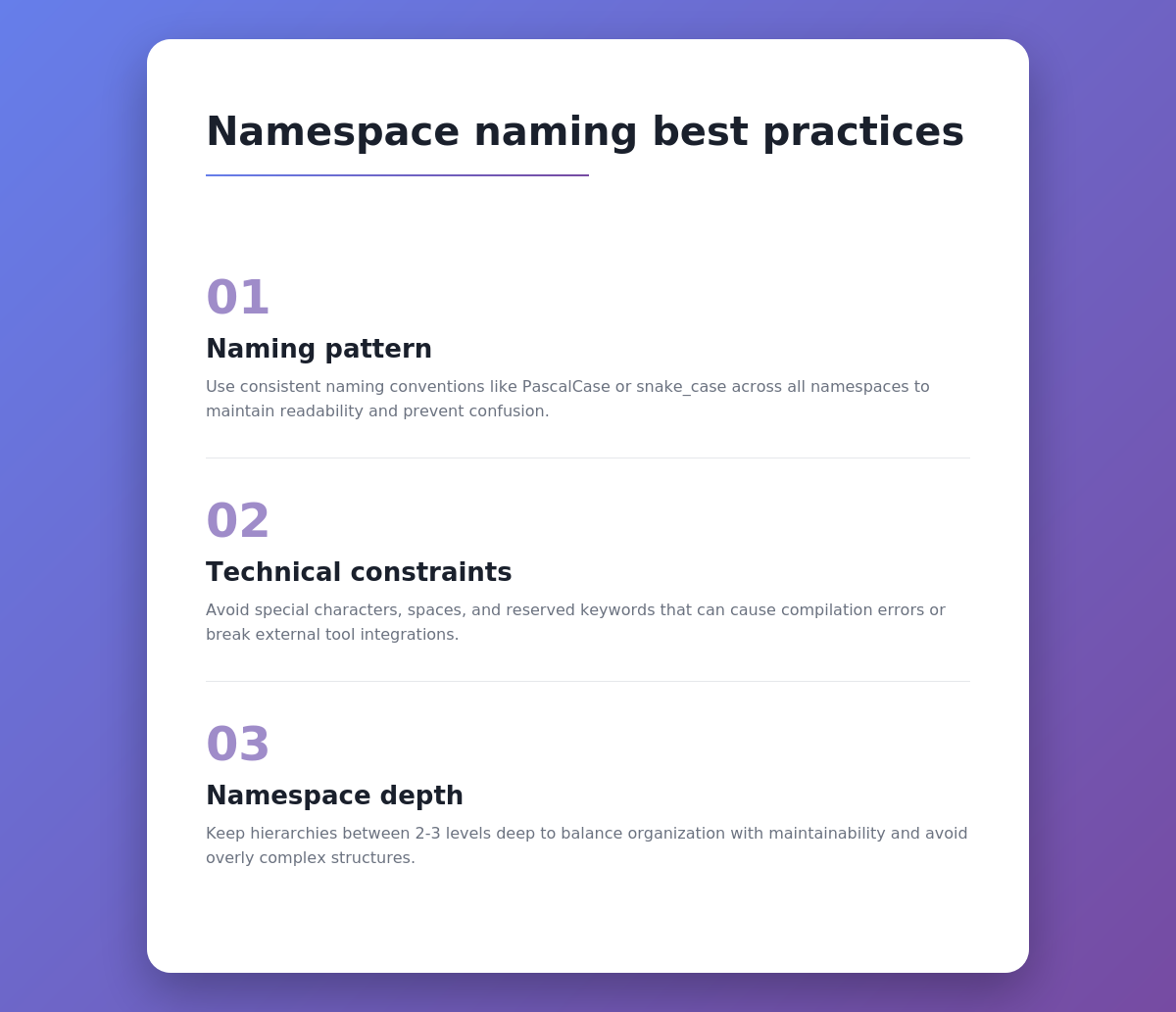
Naming pattern
Dot notation with PascalCase and descriptive names is the most readable and tool-compatible convention for UE5 namespace hierarchies.
| Practice | Good example | Bad example | Why |
|---|---|---|---|
| Use dot notation for hierarchy | UI.Settings.Graphics | UI_Settings_Graphics | Dots clearly show parent-child relationships |
| Start broad, get specific | Items.Weapons.Swords | Swords.Items | Logical drilling down from general to specific |
| Use consistent capitalization | UI.MainMenu | ui.mainmenu | PascalCase is UE5 convention |
| Be descriptive, not cryptic | Dialogue.Shopkeeper | Dlg.SK | Abbreviations obscure meaning |
| Avoid special characters | UI.PlayerInventory | UI.Player's_Inventory | Special characters cause parsing issues |
| Keep reasonable depth | Items.Armor.Chest | Items.Equipment.Wearable.Protection.Torso.Chest | Too deep becomes unwieldy |
Technical constraints
UE5’s localization system has specific character restrictions that will silently break exports and imports if ignored - stick to ASCII letters, numbers, dots, and underscores.
- No spaces: Use dots or PascalCase to separate words.
- No apostrophes or quotes: These break parsing in export files.
- No slashes: Forward or backslashes interfere with file path handling.
- Avoid Unicode characters: Stick to ASCII letters, numbers, dots, and underscores.
- Case-sensitive on some platforms: "UI.MainMenu" and "ui.mainmenu" might be treated as different namespaces depending on file system.
Namespace depth
Two to three levels deep is optimal for most games. Deeper hierarchies become difficult to navigate; shallower organization doesn’t provide enough structure.
- One level: "UI" - Too broad, everything UI-related gets dumped together.
- Two levels: "UI.MainMenu" - Good for small to medium games.
- Three levels: "UI.Settings.Graphics" - Ideal for large games with complex systems.
- Four+ levels: "UI.Settings.Graphics.Advanced.Shadows" - Usually overkill, harder to remember.
How do Unreal Engine namespaces work with external localization tools?
External TMS platforms import UE5’s namespace structure from exported files. This gives translators organized content with context that mirrors your game’s architecture. The right tool maintains this structure throughout the translation workflow.
Export/import handling
UE5 embeds namespace information directly in PO and archive export formats - any TMS that parses these correctly will reconstruct your organizational structure without manual mapping.
When you export localization data from Unreal Engine, namespace information is embedded in the file format:
PO file format:
msgctxt "UI.MainMenu,StartButton"
msgid "Start Game"
msgstr ""
The msgctxt field contains both namespace and key. Translation tools parse this to recreate your structure.
Archive file format (JSON-based):
{
  "Namespace": "UI.MainMenu",
  "Key": "StartButton",
  "SourceString": "Start Game",
  "Translation": ""
}
When reimporting translated files, UE5 uses the namespace field to place translations in the correct string tables.
Maintaining namespace structure in external tools
Not all localization platforms preserve namespace structure equally - evaluate tools specifically on their ability to display, filter, and round-trip namespace data without flattening it.
| Feature | What to look for | Why it matters |
|---|---|---|
| Namespace visibility | Translators can see which namespace each string belongs to | Provides context about where text appears in the game |
| Filtering by namespace | Ability to filter/sort by namespace for focused work | Translators can work on one game system at a time |
| Namespace preservation on export | Exported translations maintain original namespace structure | Ensures UE5 can import translations to correct string tables |
| Bulk operations by namespace | Apply translation memory or terminology to entire namespaces | Maintain consistency within game systems |
Streamlining workflows with Gridly’s Unreal Engine plugin
Gridly’s Unreal Engine plugin automates the namespace round-trip, eliminating the manual file handling that most commonly introduces namespace reference errors.
The Unreal Engine plugin integrates with UE5’s Localization Dashboard to maintain namespace organization during export and import. The plugin preserves namespace structure by combining namespace and key into record IDs (Namespace,Key format). When you export from UE5, UI.MainMenu.StartButton becomes UI.MainMenu,StartButton in Gridly. During import, the plugin parses this format back to place translations in the correct string tables.
This eliminates manual file handling-teams simply click Export/Import buttons in the Localization Dashboard while the plugin handles API communication with Gridly, reducing opportunities for namespace reference errors.
The plugin also supports exporting namespaces to a separate column (typically the path tag column in Gridly) for additional organization and filtering capabilities.
Translator workflow benefits
Namespace-organized content gives translators the context, grouping, and scoping they need to produce consistent translations faster - without requiring any knowledge of your game’s technical implementation.
Context clarity:
When translators see “UI.MainMenu | StartButton | Start Game,” they immediately understand this is a UI button in the main menu. Compare this to seeing just “StartButton” without context-they might translate it differently thinking it refers to starting an engine or beginning a process.
Consistency within systems:
Translators can review all strings from “Dialogue.Shopkeeper” together, ensuring the NPC’s voice and terminology remain consistent. Without namespace grouping, shopkeeper lines might be scattered across a thousand-string spreadsheet.
Selective updates:
When you add seasonal content under “Events.Halloween,” translation teams can focus only on that namespace without touching stable UI translations. This reduces the risk of accidentally changing existing text.
Quality assurance:
QA testers can use namespaces to verify completeness: “Are all strings in UI.Settings translated?” is easier to check than “Did we translate all 2,500 strings?”
Conclusion
Namespace structure determines whether your Unreal Engine localization scales smoothly or collapses under its own weight. Proper organization prevents merge conflicts, provides translator context, and makes maintenance manageable as your game grows.
Key takeaways:
- Start with structure early: Implementing namespaces from day one is far easier than refactoring later.
- Choose one organizational method: Feature-based works for most games, level-based for content-heavy projects, team-based for large studios.
- Use clear naming conventions: Descriptive dot notation with consistent capitalization prevents confusion.
- Work with tools that preserve structure: Your localization platform should maintain namespace organization, not flatten it.
For Unreal Engine projects requiring scalable localization workflows, platforms like Gridly maintain your namespace structure throughout the translation process. The spreadsheet interface displays namespace, key, and source text together, giving translators the context they need while preserving your carefully designed organization from export to re-import.
Ready to implement namespace structure in your Unreal Engine project? Start with a small system-reorganize your UI strings first-and expand from there. The investment in proper organization pays dividends every time you add content, update translations, or scale to new languages.
See how tinyBuild tackled Unreal Engine localization, including bridge-language workflows, in our full case study.
Frequently asked questions about Unreal Engine localization namespaces
Can you change namespaces after launch?
Yes, but carefully. Namespace changes don’t affect players who already have translations-their game still uses existing .locres files. However, future updates need to maintain translation continuity. The safest approach: create new namespaces for new content while keeping existing namespaces stable. Only refactor namespaces during major updates when full re-localization is already planned.
Do namespaces affect game performance?
No measurable impact. Namespaces are organizational metadata used during development and export. At runtime, Unreal Engine compiles all translations into binary .locres files that don’t contain namespace information. String lookups use the compiled format, so namespace structure doesn’t affect load times or memory usage.
How many namespaces should a game have?
Most games work well with 10-30 namespaces. Small indie games might need only 5-10. Large AAA games or live service titles might use 50-100. Beyond that, you’re probably over-organizing. A good rule: if you can’t remember which namespace a string belongs to without checking documentation, you have too many.
Can multiple string tables share the same namespace?
Yes. You can have ST_UI_MainMenu_Part1 and ST_UI_MainMenu_Part2 both using the “UI.MainMenu” namespace. This is useful when a single logical category has too many strings for one file. Just ensure keys don’t collide between the tables.
Do translators need to understand namespace structure?
Not technically, but it helps significantly. Translators don’t need to know your implementation details, but seeing “UI.Settings.Audio | VolumeSlider” provides helpful context. Good localization platforms display namespace information naturally-like Gridly showing it as a spreadsheet column-making it visible without requiring training.
How do namespaces work with localization preview?
Unreal Engine’s localization preview (changing language at runtime in-editor) works identically regardless of namespace structure. You can preview any supported language, and UE5 pulls from the correct string tables automatically. Namespaces don’t affect preview functionality.
What happens if you don’t use namespaces?
Technically, nothing breaks immediately. Unreal Engine allows empty namespaces or using the same namespace everywhere. Problems emerge gradually: key collisions force awkward naming, merge conflicts increase, translation context deteriorates, and maintaining translations becomes difficult. By the time you realize you need structure, refactoring is painful.
Author

Quang Pham
Quang has spent the last 5 years as a UX and technical writer, working across both B2C and B2B applications in global markets. His experience translating complex features into clear, user-friendly content has given him a deep appreciation for how localization impacts product success.
When he's not writing, you'll likely find him watching Arsenal matches or cooking.

💡 Skip the guesswork in AI localization. Join us in a candid discussion with industry experts on building workflows that scale.
What you'll get in this session:
- Why plugging a generic LLM into your pipeline isn't enough
- How to scale AI localization across millions of words and languages
- What live game updates demand from your AI workflow
- The real path to seeing ROI from AI localization